

Protect Your Account with Push Authorization
Keeping your accounts safe is our top priority, and we’re always seeking new ways to provide secure access to your accounts. We’ve added Two-Way Push Authorization to make your Digital Banking experience even safer and more convenient.
What Is Two-Way Push Authorization?
Two-Way Push Authorization helps reduce the risk of unauthorized access to your digital banking account. It’s a secure form of two-factor authentication (2FA) that works by sending a push notification directly to your mobile device.
When you set up Two-Way Push Authorization, you’ll get a notification when an unregistered device attempts to log in to your account or reset your password. You’ll immediately receive a real-time notification to approve or deny access to your account. This adds more protection to your account by allowing you to immediately be aware and stop unauthorized access.
How to Enroll
Enrolling in Two-Way Push Authorization is easy and can be done self-service from your Andrews Federal Mobile Banking app.
For existing members:
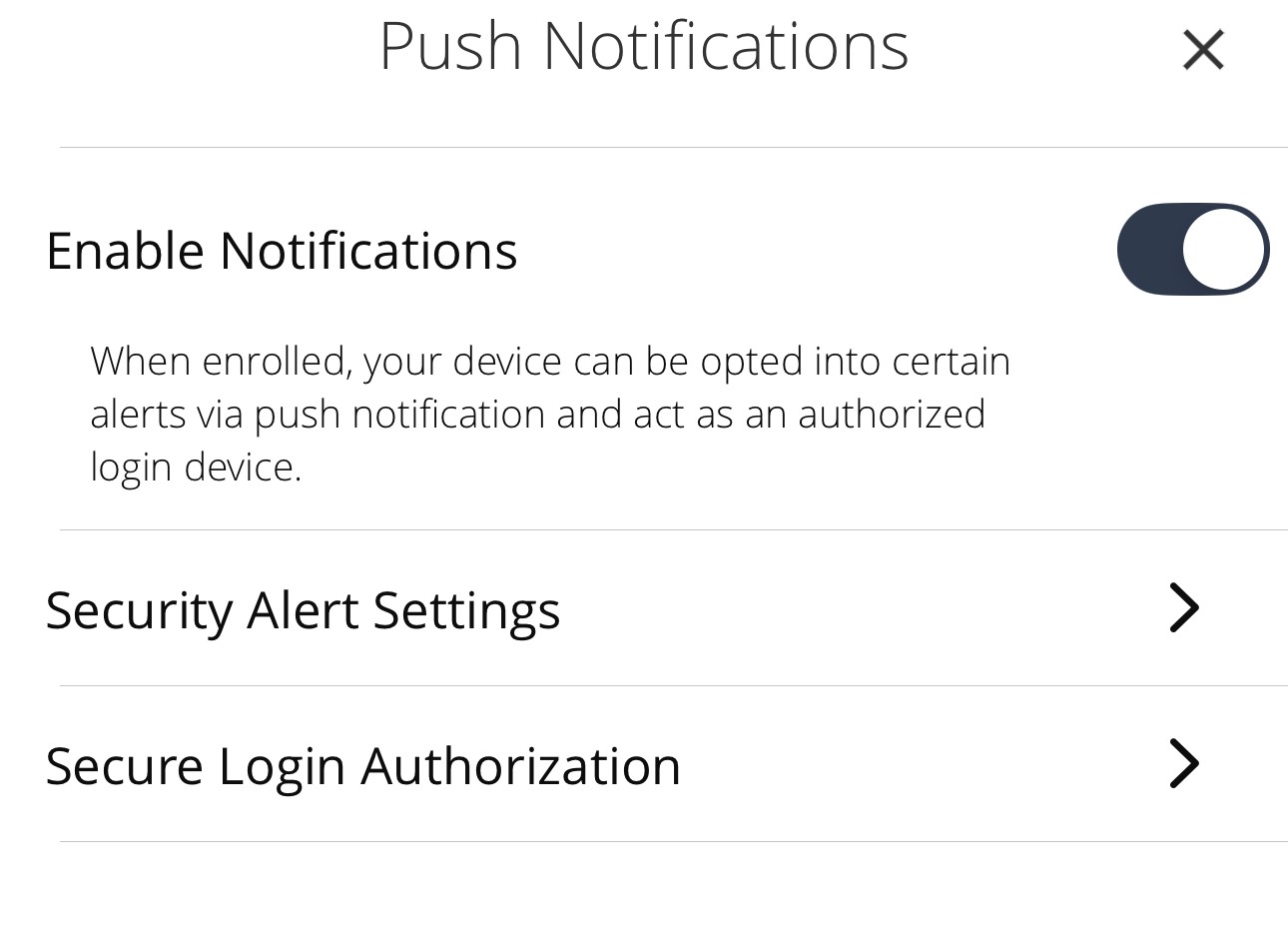
Enabling Two-Way Push Authorization is quick and easy. Simply navigate to:
Settings > Push Notification and enable the feature.
For new members:
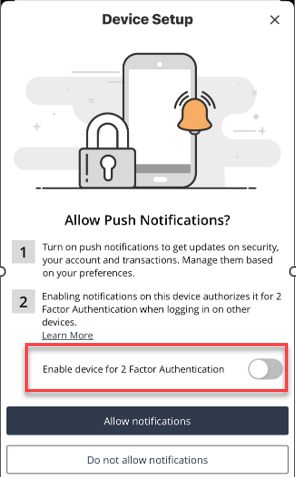
When you log in to the Mobile Banking app and authenticate your access, you’ll immediately begin the Two-Way Push Authorization set-up process.
A Device Setup page will appear, outlining available authentication features.
You’ll be prompted to enable your device for two-factor authentication.
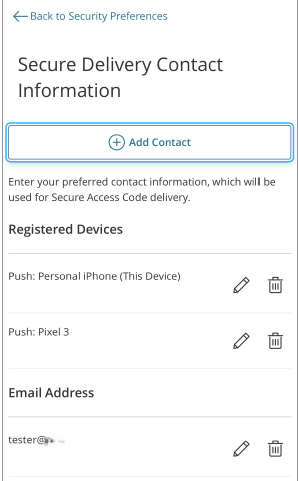
Once enabled, your device will be securely registered to your account. Devices enrolled appear in the Registered Devices section. You can select edit next to a registered device to update the device nickname or select delete to remove the device.
Greater Convenience
Once you enable Two-Way Push Authorization, your existing security alerts will transition over to push notifications. You can also continue to receive alerts through the methods you had previously selected (such as text messages, secure messages or emails).
Giving You Added Protection
Two-Way Push Authorization adds an extra layer of protection while also enhancing convenience. It gives you a quicker, easier, real-time way to manage access to your accounts, while also offering peace of mind knowing you’ll immediately be alerted if someone tries to access your account without your consent.
Enable Two-Way Push Authorization today in your Mobile Banking app and let’s keep working together to ensure secure, confident Digital Banking access and money management.